beClairOps property operations platform
Make work instructions easier for field operators
Field instructions should work for the person standing in front of the equipment, often on a phone and with limited time to read. A good screen makes the current action obvious and keeps secondary details available when needed.
By ClairOps team ·
Show the task and place first
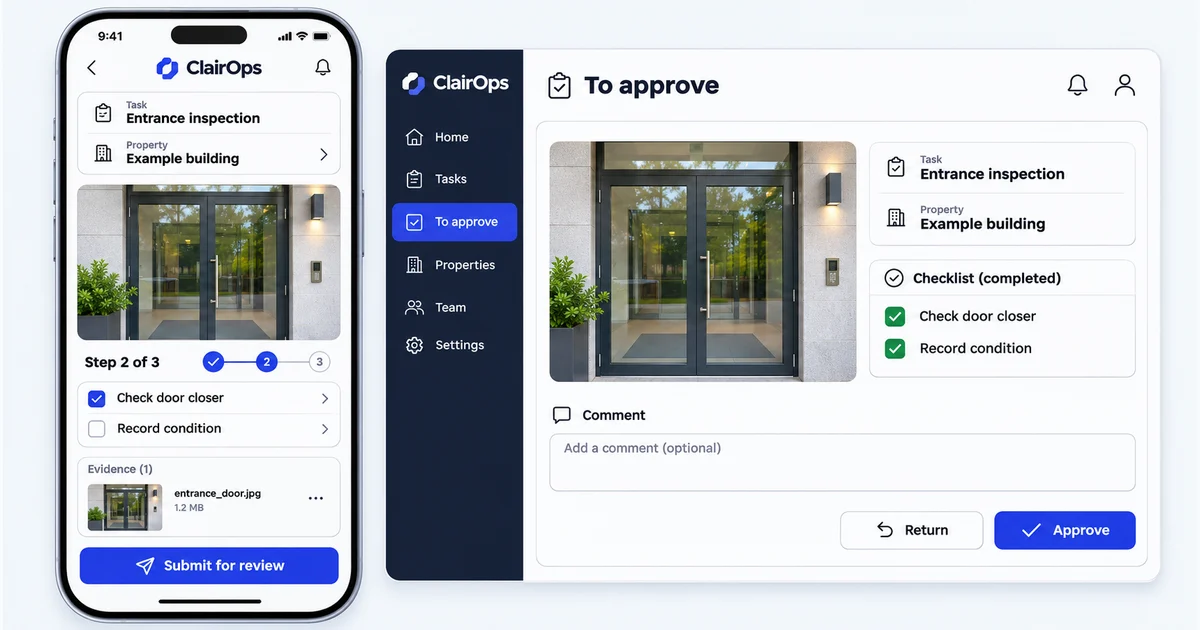
Put the task name, property, and exact location at the top. Use one short action per step. If a reference photo explains which part to touch or what the expected result looks like, show it prominently rather than hiding it in a separate tab.
Ask for the right result
Use large, plain answer choices for inspection values and mark mandatory photos clearly. Do not ask for notes or photos at every step when they are not needed. Keep a checklist option for experienced operators and a guided step-by-step view for less familiar work.
Make recovery straightforward
A visible help action can open the remaining instructions, let the operator report a problem, or add a note. The main completion action should say what happens next, and the screen should confirm when evidence has been saved.