beClairOps property operations platform
What is property operations software? A guide to ClairOps
Property operations software connects the people responsible for a building with the work that needs to happen there. ClairOps brings a property request or planned task into a shared work record, so managers can assign it, field teams can document it, and authorized reviewers can decide what happens next.
By ClairOps team ·
What problem does it solve?
A resident reports an entrance door that will not close. A manager forwards the email to a contractor. The technician sends photos by phone, and someone later marks a spreadsheet as complete. Each message may be useful, but the connection between the original request, assigned scope, field result and review is fragile. Property operations software keeps those steps attached to the same property and work record. A practical goal is to make the next responsibility clear and leave enough context for the next person who handles the building.
How does ClairOps connect the work?
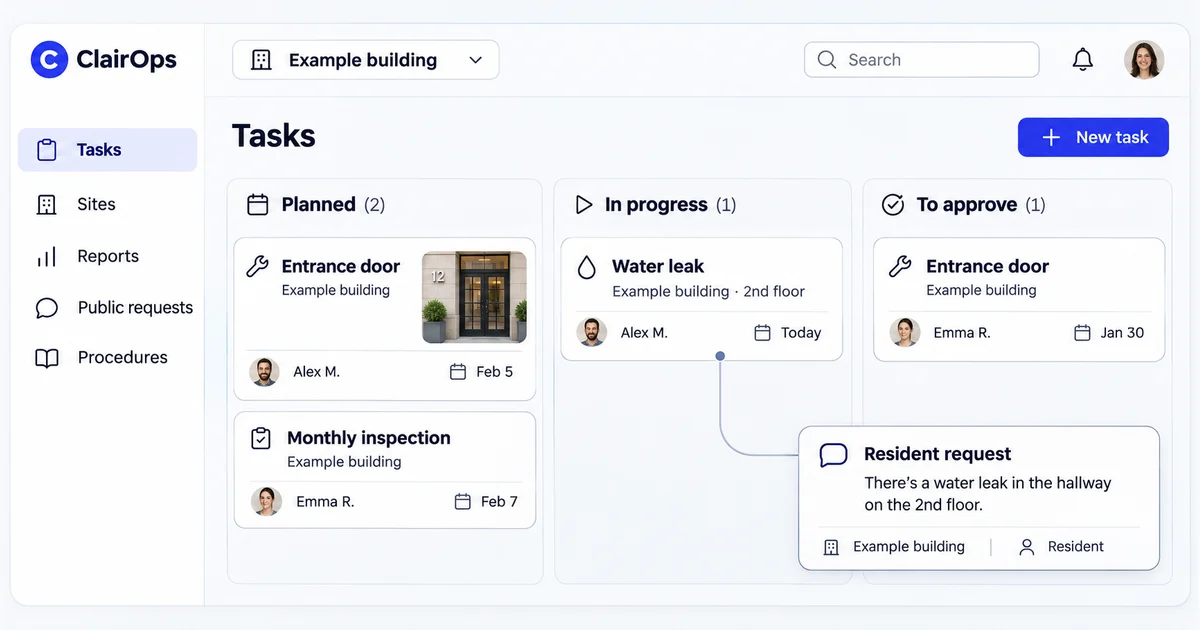
In ClairOps, a tenant, visitor or team member can report a need through a site-linked request form. A supervisor reviews the context, assigns a person or team and sets the work details. Work orders or inspections can carry instructions, procedures, reference photos and requested evidence. The field operator follows the task and records the result. Submission returns to an authorized reviewer, who can approve the work or return it with a reason. The board distinguishes Planned, In progress, To approve and Completed; field submission and supervisor approval are separate events.
Who uses the same record?
Property owners need visibility into relevant work, asset context and property history. Property managers coordinate requests, sites, teams and service providers. Service providers need clear assignments and a practical way to document delivery. Facilities teams and portfolio organizations also need repeatable procedures across locations. These perspectives do not imply identical permissions: access depends on the workspace, role and information shared with each person. A client view should show the work made available to that client rather than every internal detail.
How is this different from a task list?
A task list can identify an action and a due date. A connected property work record also explains where the work belongs, what was requested, who is responsible, what evidence was captured and how the result was reviewed. Recurring maintenance adds a repeatable schedule and procedure, while inspections ask observable questions about a condition. The useful distinction is continuity: someone investigating the same door months later should be able to follow the earlier report, intervention and decision without reconstructing separate conversations.
What should you verify before adopting it?
Bring one real scenario to an evaluation: a resident request, a recurring inspection or a supplier repair. Ask to see the entire path from report to property history. Check how assignments reach the field, which evidence is required, who can approve, how returned work is handled and what an owner can see. Confirm the features and configuration available to your organization. ClairOps is an operations platform; operational financial views do not replace accounting, and workflow automation does not remove human responsibility for dispatch, technical judgment or approval.
How can you explore ClairOps?
Start with the product overview and request-to-review walkthrough, then discuss your own operating scenario with the ClairOps team. The pilot invitation is an opportunity to express interest in exploring the platform and sharing feedback. Public demo, access and pilot forms prepare an email draft addressed to contact@chantierclair.com; review it and send it in your email application. Filling a public form does not automatically create an account or confirm pilot participation. Images in these guides are generated interface illustrations using fictional data, not customer records.